
Blank, Frozen or Flashing ScreenUpdated 4 months ago
Behavior
- A blank, frozen, or flashing screen while plugged into the wall outlet can indicate communication or power issues. Screen states may vary:
- Blank but responsive to knob rotation.
- Frozen and unresponsive to knob rotation.
- Flashing screen.
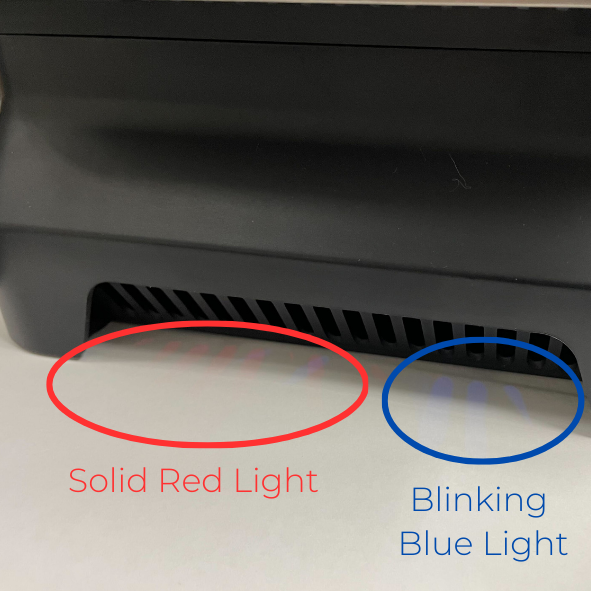
- Blank with indicator lights on side of machining showing different patterns (red solid, blue blinking or off).
- With power applied, a solid red light and a blinking blue light should appear on the bottom left side of the machine.
Common Causes
- Internal reset triggered by electrical noise or power surge.
- Interrupted communication between the main driver board and the screen.
- Unstable or insufficient power supply.
Things to Try
- Power cycle by unplugging the machine for a few hours.
- Change wall outlets or breakers.
- Use a surge protector.
- If issues persist, contact support at [email protected]